
IT support and ticketing
We develop IT help desk systems for IT departments and outsourced IT service providers. Employees select a request from the catalogue or write in chat, managers approve access with one click, each employee's equipment and licences are visible in the ticket, and service providers bill clients for actual hours worked.
Based on last 100+ reviews


When does an IT department need its own ticketing system?
How does an IT ticket move through the system?
-
EnquiryAn employee selects a request from the catalogue or writes in chat, and the ticket is assigned a priority and deadline.WhoEmployeeThe employee's equipment is visible in the ticket.
-
ApprovalA manager approves access or new equipment with one click.WhoManagerWork on the ticket does not start without approval.
-
SolutionA specialist resolves the ticket, time is recorded, and the user receives a response and rates the work.WhoIT specialistThe solution is added to the knowledge base.
-
Report and invoiceThe IT manager sees deadlines and workloads, and the service provider bills the client for hours worked.WhoSystemHours are automatically deducted from the client's prepaid package.
Which modules make up the IT help desk system?
The shared inbox, tickets, portal, knowledge base, deadlines and queues come from the customer support system. These modules are added for IT support.
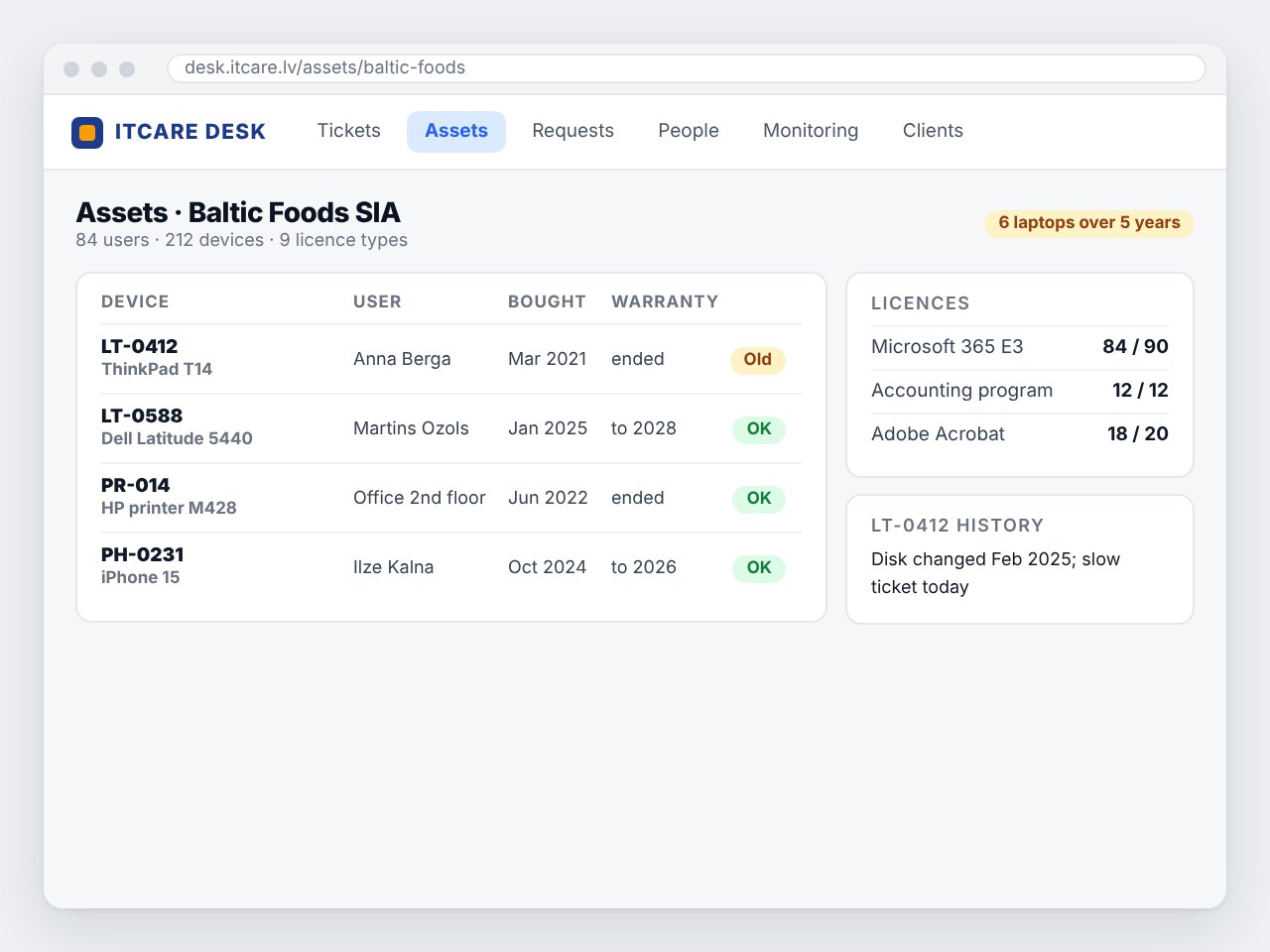
IT assets
Computers, phones and printers with serial numbers, software licences, employee assignments and repair history.
Example: When a ticket reports a slow laptop, the specialist immediately sees its model, age and that its drive was replaced last year.
Equipment in a spreadsheet.
Equipment in the ticket.
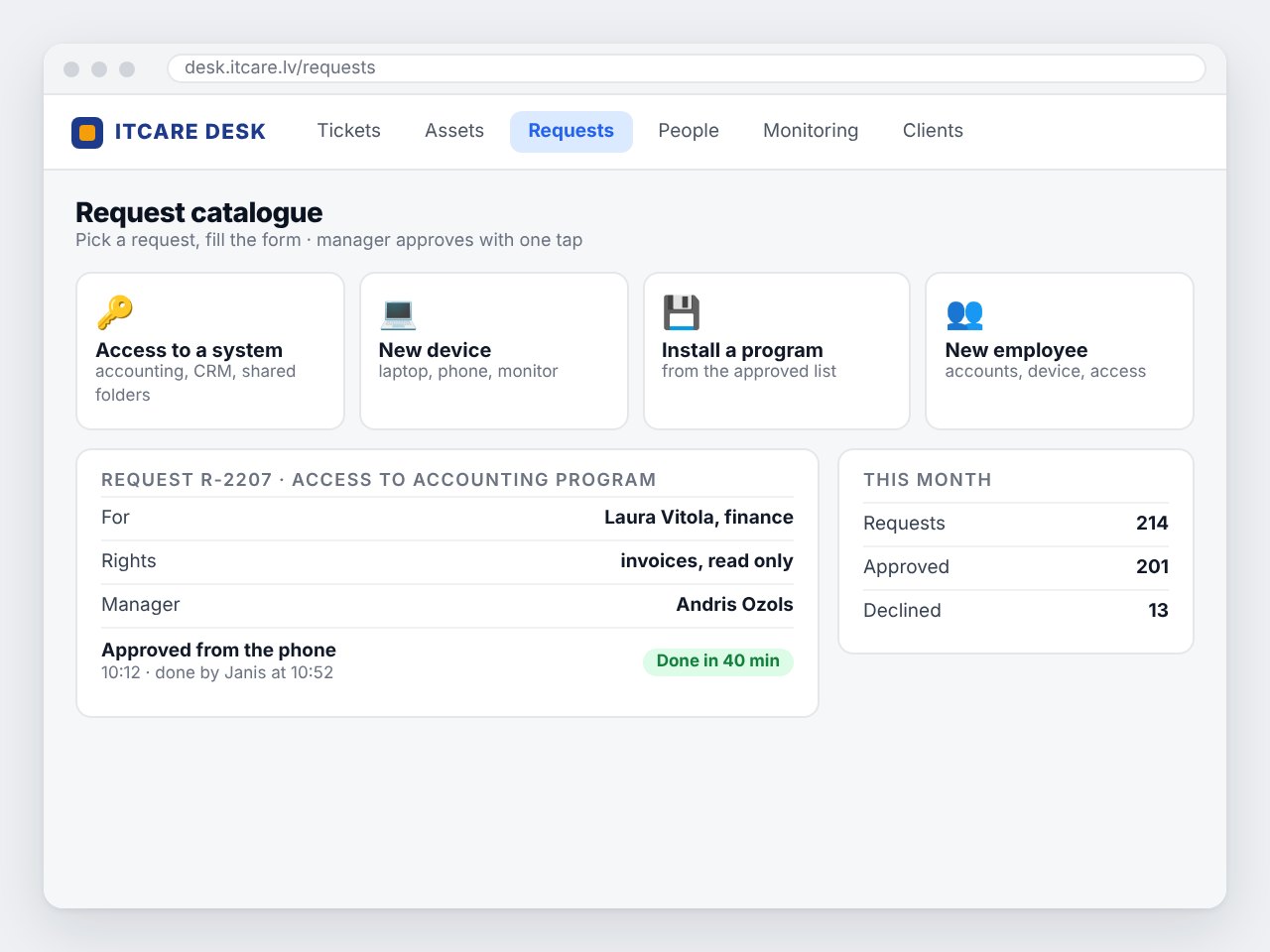
Request catalogue
Standard requests with forms: system access, new equipment and software installation, with manager approval.
Example: A request for access to accounting software was approved by a manager on their phone and completed in 40 minutes.
Requests in chats.
Request via a form.
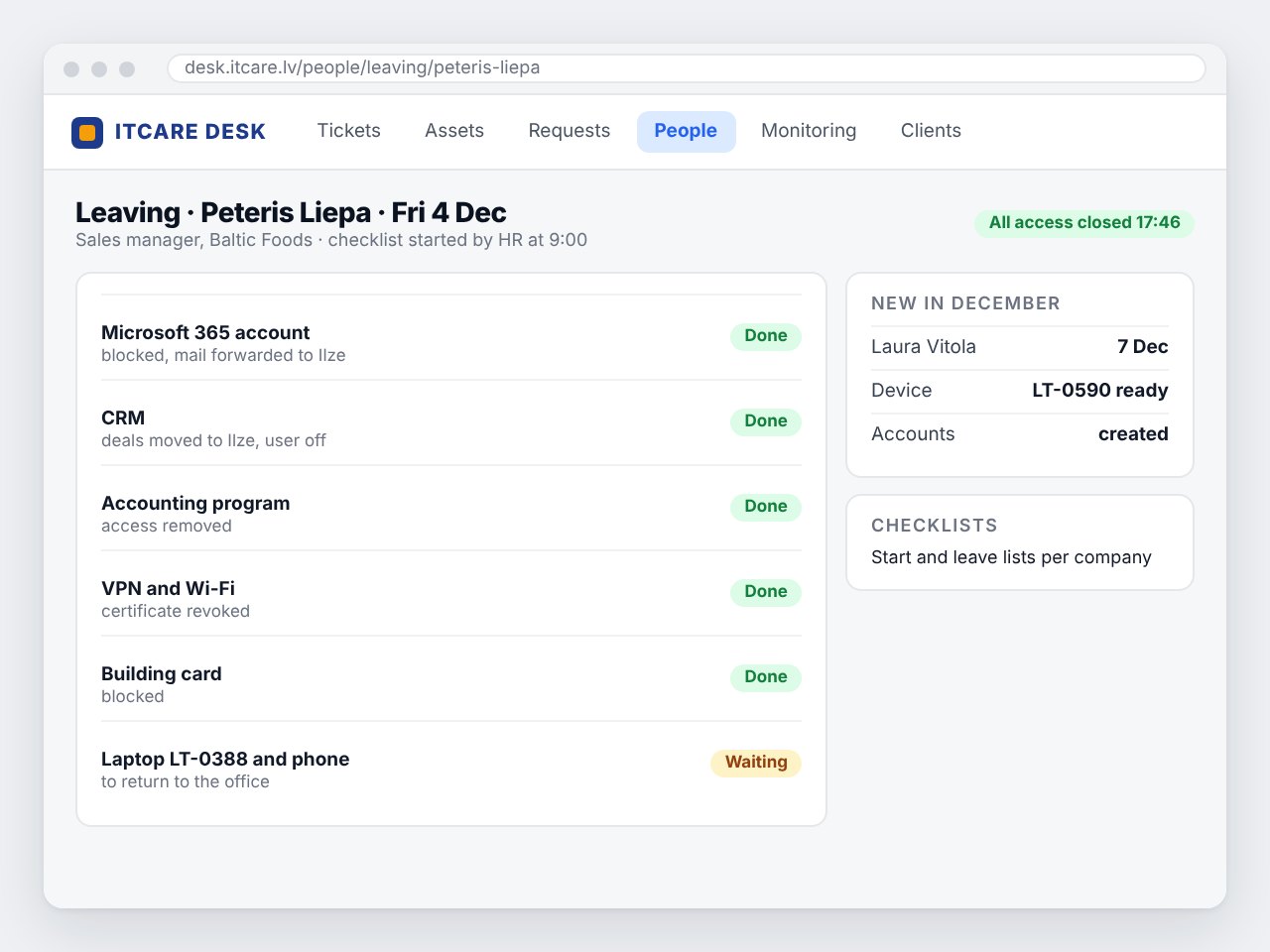
Employee onboarding and offboarding
A checklist for a new employee: accounts, equipment and access. When an employee leaves, all access is revoked using the checklist.
Example: An employee left on Friday, and by 18:00 all 9 of their access permissions had been revoked and their laptop marked for return.
Access gets forgotten.
Access revoked by checklist.
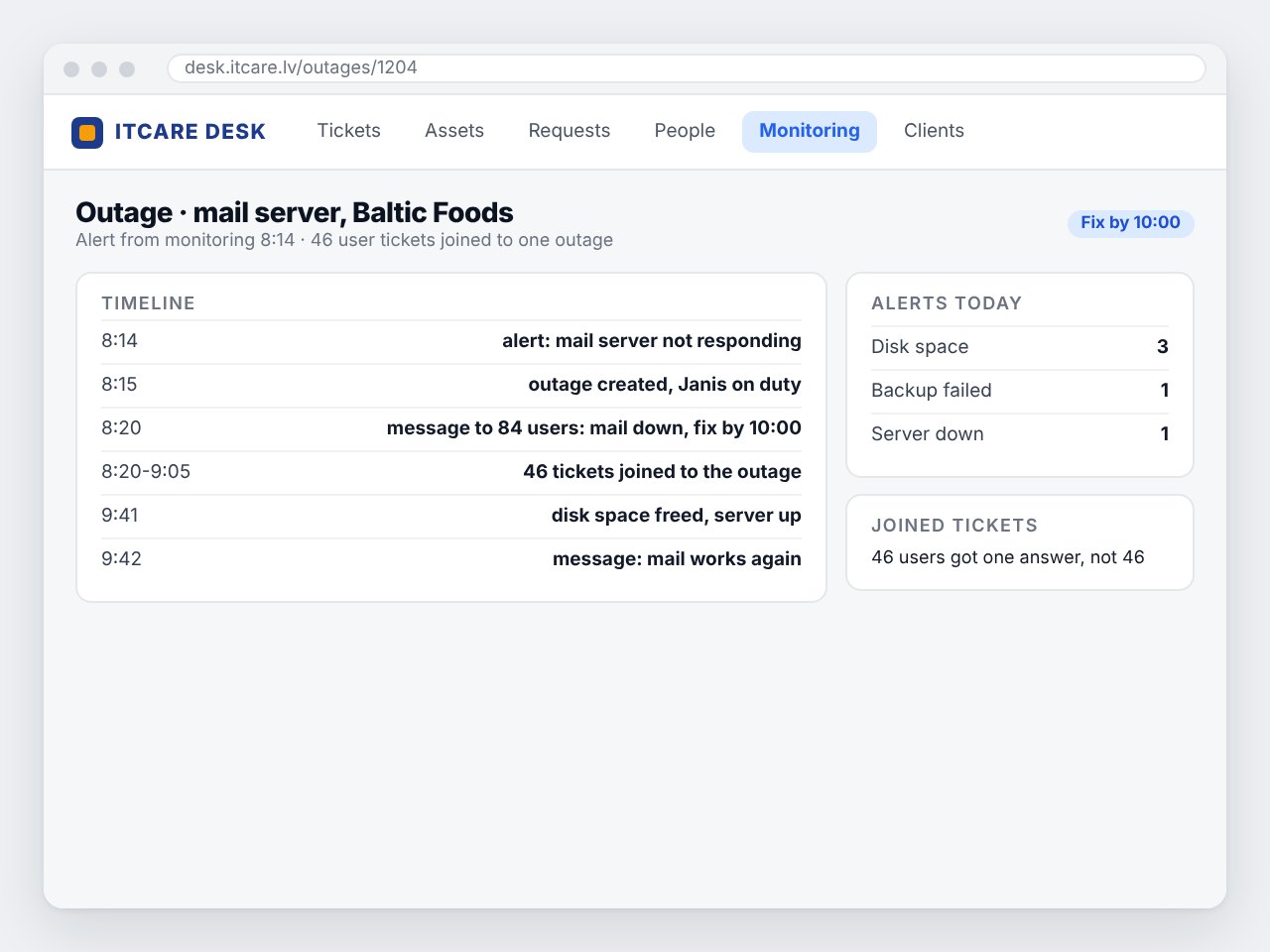
Monitoring and incidents
Alerts from monitoring systems create tickets, an incident groups related tickets together, and users receive status notifications.
Example: The mail server went down, 46 employee tickets were grouped into one incident, and everyone received a notification with the expected resolution time.
46 identical tickets.
One incident.
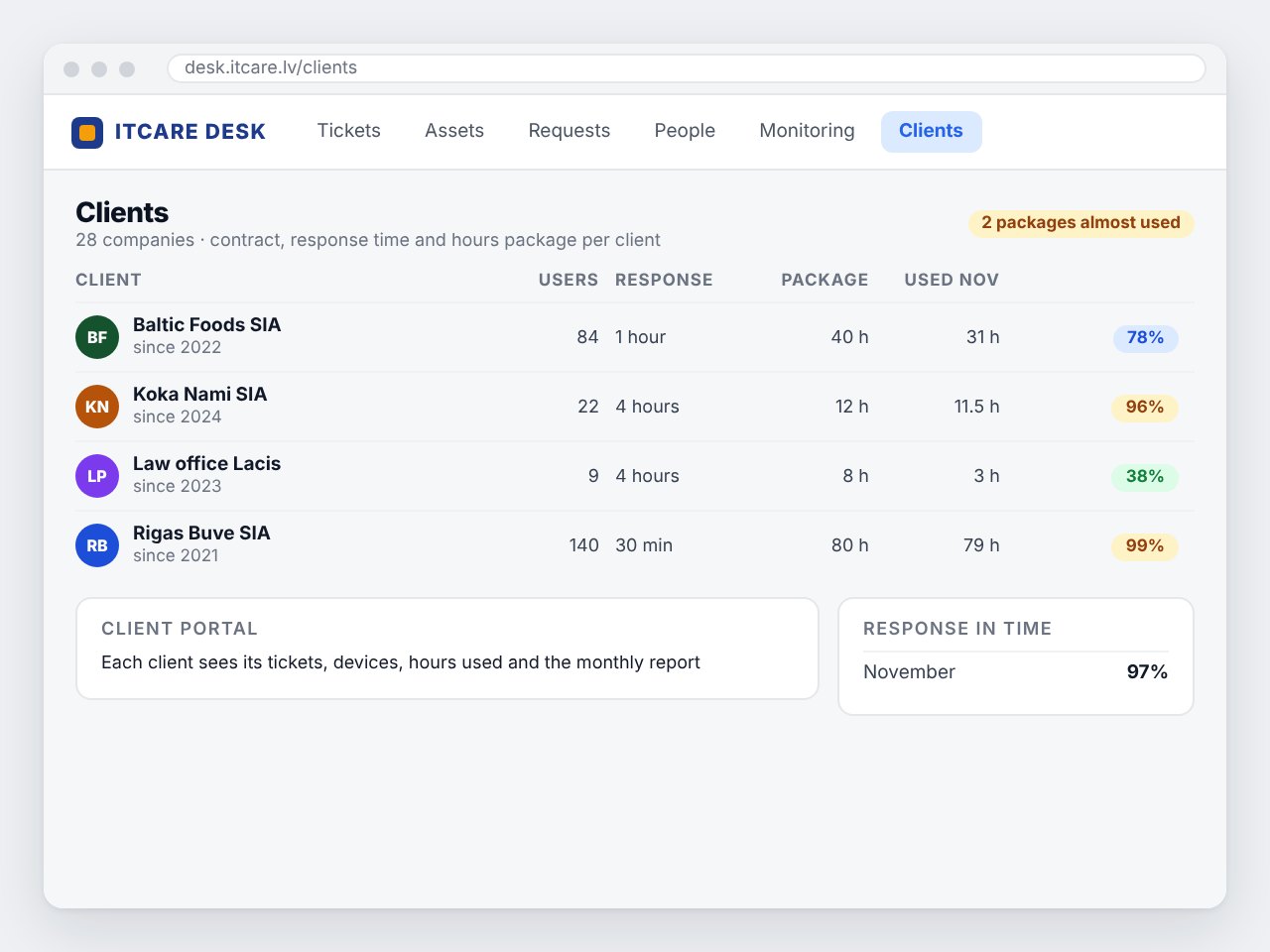
Outsourced IT clients
Clients with contracts, response deadlines and prepaid hour packages, a separate portal for each client and a monthly work report.
Example: The client sees in the portal that 31 of their 40 prepaid hours have been used and orders more in advance.
Hours in a spreadsheet.
Prepaid hours in the portal.
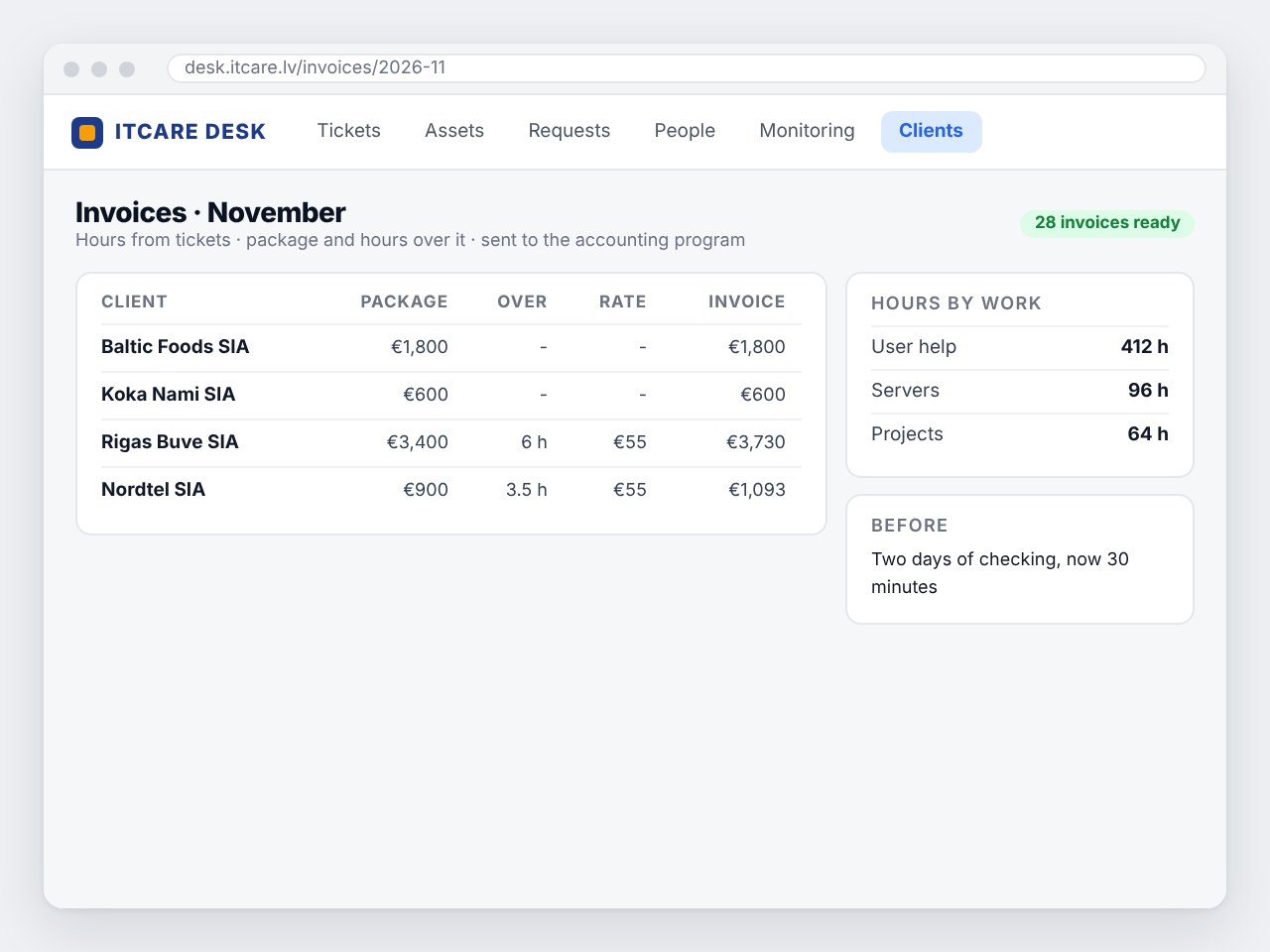
Time tracking and invoicing
Time tracked for each ticket, rates by type of work, hours beyond the prepaid package and client invoices in the accounting software.
Example: Monthly invoices for 28 clients were issued in half an hour based on actual hours worked, instead of two days of reconciliation.
Estimated bills.
Invoices based on hours worked.
What can AI add?
Responses to users. AI answers common questions using the knowledge base and closes simple tickets on its own.
Ticket triage. AI identifies the ticket's topic, priority and assignee.
Draft solution. AI suggests a solution to the specialist based on similar tickets.
Knowledge base articles. AI turns resolved tickets into knowledge base articles.
How does the project work?
-
Brief and technical specificationWe review your requirements and prepare a brief. For projects starting at €5,000, we also prepare a technical specification, which sets the basis for the fixed price.Timeframeup to 5 daysTechnical specification: around 5 working daysWork starts within 3 working days of receiving the advance payment.
-
Development in stagesWe demonstrate each stage in a demo environment and submit it by email. You accept it by replying or paying the next invoice.Timeframe4-12 weeksbasic version 4-6 weeks, IT support and ticketing 8-12 weeks
-
LaunchWe migrate tickets, users, equipment records and the knowledge base, connect email, messaging apps and monitoring, and train specialists using real tickets. After full payment, you own the source code.Timeframearound a weekDeployment to hosting, launch and testing on the hosting server are included in the price.
-
Warranty and further development6 months of warranty and support free of charge. After that, you can opt for an extended warranty, which includes hosting.Timeframe6 monthsfree of chargeNew modules are added in stages.
How much does an IT help desk system cost?
Basic version
-
Support
- Initial implementation support
- Basic documentation and training
- 6 months of post-launch support
-
Functionality
- Tickets from email and chats
- Employee portal
- Priorities and deadlines
- Knowledge base
- Ticket reports
-
Integrations
- Microsoft 365 or Google Workspace
-
Extended warranty
-
Included in the price: deployment to your hosting and launch. The first 6 months of warranty and support are free of charge.
-
IT support and ticketing
-
Support
- Introductory training and training sessions
- 6 months of support with the option of extended support
-
Functionality
- Everything in the basic version
- IT assets
- Request catalogue
- Employee onboarding and offboarding
- Monitoring and incidents
- Outsourced IT clients
- Time tracking and invoicing
-
Integrations
- Monitoring systems
- Microsoft Teams and Slack
- Accounting software
-
Extended warranty
-
From €150 per month: includes VPS hosting, priority support and fixes for critical and logic errors.
-
Large-scale IT help desk system
-
Support
- Introductory training and training sessions
- 6 months of support with the option of extended support
-
Functionality
- Everything in IT support and ticketing
- Countries and teams
- Change management
- Management reports
-
Integrations
- Device management systems
- Any systems via API
-
Extended warranty
-
Priced according to project scope. Everything in the extended warranty (VPS hosting, priority support, fixes for critical and logic errors), plus full coverage: fixes for all types of errors and replacement of the provider or API if external integrations become unstable or outdated.
-
Shall we make a prototype?
With the most advanced AI solutions we build a clickable, interactive prototype of your system in one working day. With realistic test data, ready for presentations and further system design.
- Clickable main screens, made by AI
- A link to share with your team
- The scope of the first version
- A fixed price for the development
No obligation: you pay only for the prototype.
Similar projects:
Cryptocurrency company (anonymous)
Cryptocurrency exchange

Latvia
The client emphasized that the platform was vital to their operations and that they couldn’t function without it.
They appreciated 2410’s responsiveness, adaptability, and ability to deliver complex functionality - including fee logic, API integrations, and automation.
Communication was clear and proactive. The project evolved into a trusted long-term collaboration, with future expansions already discussed and initiated.
Riga Plaza
Shopping center
Latvia
Thank you!! Everything looks really great. You are incredibly fast! Huge thanks! Perfect! The client approved it. Please send the files.

Eliard SIA
Real estate
Latvia
Eliard praised the collaboration with 2410 for its adaptability, solution-oriented communication, and high-quality execution.
The project had complex requirements and tight deadlines, yet was handled efficiently. Additional feature requests were considered promptly, showing 2410’s flexibility and reliability in delivering tailored real estate platforms.


Who needs an IT help desk system?
Company IT departments
Outsourced IT service providers
Software developers
Municipalities
Other solutions built on the support system
The same system, configured for different users and types of requests.
Fixed price and code ownership:
The project is divided into stages, each with a fixed price. We demonstrate each stage in a demo environment and submit it by email. You accept it by replying or paying the next invoice.
-
Handover. Source code repository and server access credentials.
-
Hosting. Migration is included in the price: to a DigitalOcean cloud server or your company's server.
-
Team. The 2410 team works remotely with clients from any country.
-
Contract and NDA. The contract is signed electronically. An NDA is available on request.